



This post is for Day 5 of Merpay & Mercoin Advent Calendar 2025 , brought to you by @Fab from the Merpay Growth Platform team.
Recently, AI has taken the world of Software Development by storm. Although there are some debates about trying to apply AI everywhere incorrectly, my current team at Merpay realized that we could solve one of our documentation problem with the help of AI.

You see, my team is in charge of a system made of dozens of event pipelines with messages flowing in complex, multi-level patterns, often involving fan-in/fan-out mechanisms. We have tried for some time to create accompanying technical documentation to facilitate engineers’ onboarding when they have to work on a specific pipeline they may not know well. But over the years, the documentation efforts have trailed behind and the majority of the pipelines have become undocumented as a result.
After several tries and hours of tinkering with an AI-based approach, we are now on our way to catch-up with the backlog of documentation and considerably reduced the hours needed by engineers to write and review the documentation of each pipeline.
I feel like it would be nice to share some key moments of our journey, the approaches we took and the learnings that we made.
The “chore” of documentation
I clearly remember a quote of one of my teachers in charge of Software Development when I was at university:
“You must comment your code and extensively document your programs! When you will work in the industry, you will be at least 50% coding and 50% writing documentation.”
After I graduated, I must admit that I wrote almost no documentation at all in the first two companies I worked at, so I always felt that this statement was a bit exaggerated. Then, I started working in bigger companies with larger and more complex systems. This is when I realized that I WISHED more teams would even consider writing and maintaining documentation.
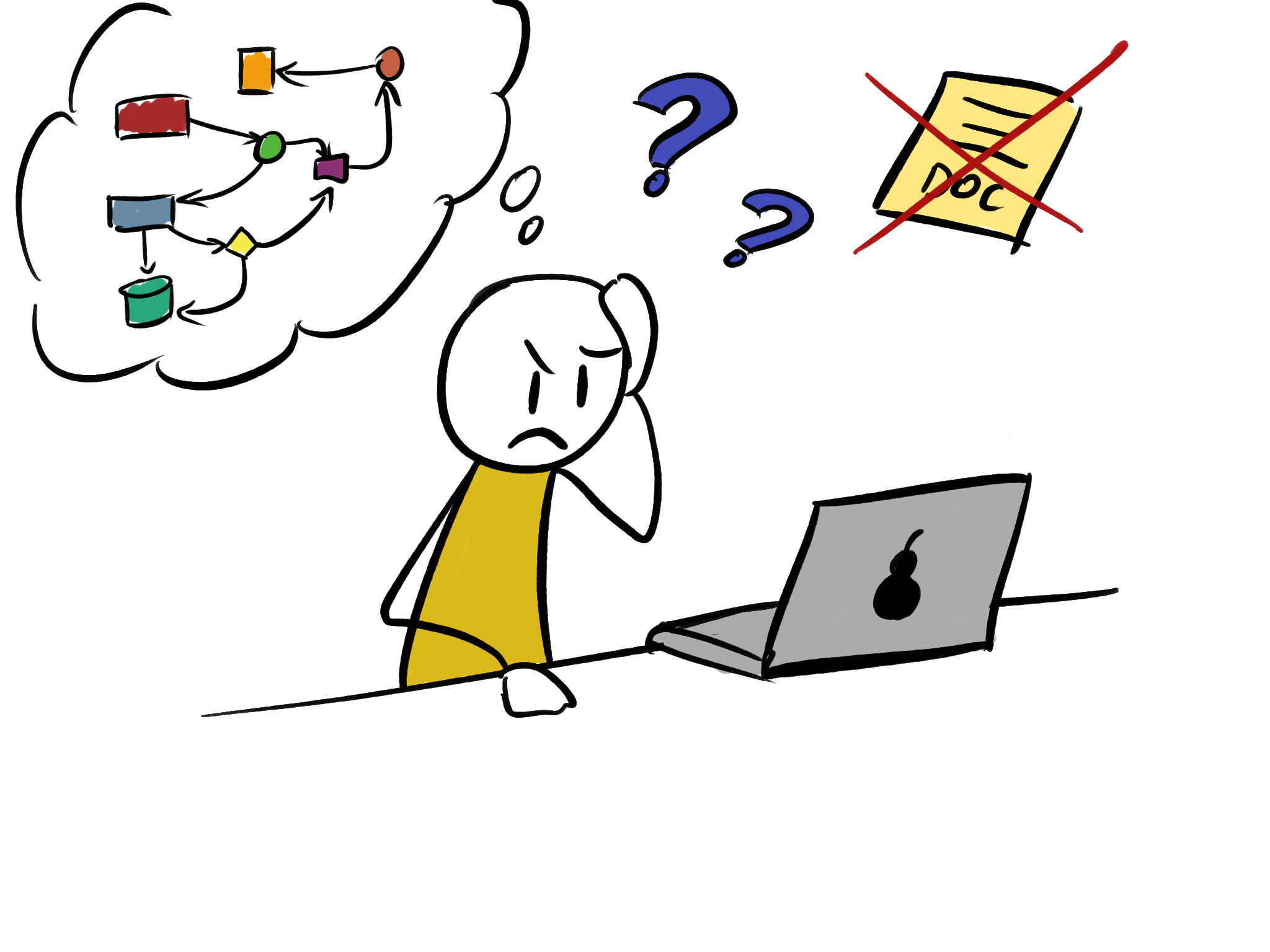
Since then, I have become quite passionate about documentation in general. Even if it takes time, I am often eager to update it, create diagrams and I am happy when someone like a new member tells me that on-boarding was smooth and facilitated by the documentation I wrote.
So I always wondered why many developers don’t really like writing/maintaining documentation. While I don’t have hard data, I’ve relied on discussions with colleagues, personal intuition, and some online conversations to identify some potential reasons:
- The benefits of writing and maintaining documentation are not visible immediately, you only see them in the medium-long term.
- It’s a constant effort, you have to update it as the system changes and it immediately starts to lose its value if you don’t do it diligently.
- Documentation is technically “not needed”. You could release your new system or your new feature without it and it would still work the same. As a result, it is often the “variable” sacrificed when it comes to deliverability for most systems (especially for internal systems).
- The effects of documentation on productivity are not as easily quantifiable.
- Tests used to have the same reputation but over time a lot of developers and managers have realized that tests could often mean less bugs and incidents which is a more tangible metric to measure as you can often associate costs to it.
- Some people have also mentioned that technical documentation specifically is not as useful as other types of documentation because code can still be used to understand the system.
The last two bullet points are interesting because it made us realize that AI could be particularly helpful for this our documentation problem.
📌
Most people recognize that documentation is useful, but the resources that need to be invested, especially the writing, is often judged too high in most of the projects/teams.
Not all documentation in a project is made equal
There is not only one type of documentation in a project. While the following is not the unique way to categorize those types, I usually encounter:
- User documentation to explain and describe to a user how to use a system/application.
- Requirements / Business documentation often created by Product Managers/Owners that list all the functional requirements the system should implement.
- Design / Architectural documentation often useful created before starting to implement
- Technical documentation that focuses on the technical aspects of various parts of the system like API documentation, event pipelines, background jobs, implementation choices etc…

And the way you write those documents and the sources that are used can be radically different depending on the type.
For example,
- User Documentation would usually focus on clear step-by-step explanations, avoid complex technical terms and a huge emphasis would be on screenshots of the various UI elements.
- API documentation on the other hand would focus on having the complete list of exposed endpoints, their paths, the required parameters, the responses and errors a client can receive. We can notice that API documentation sits much closer to the code and only abstracts the implementation in a more easy-to-read format (hopefully).
📌
Types of documentation have different audiences, different sources of information and are not written the same way.
“But wait, automated documentation existed before AI”
Indeed, auto-generated documents are not new: Doxygen, Javadoc or even Swagger/OpenAPI were already a thing more than 10 years ago.
The problem is that those documentation generators:
- Require metadata provided by engineers. While Swagger can populate the API endpoints names/paths, the list of parameters and maybe some of the responses, it relies heavily on the engineers’ annotations for most of the details.
- Are quite rigid. Even the ones who perform some type of code analysis through various means (like reflection) to extrapolate information by themselves only apply to specific code structures or need engineers to use metaprogramming to tailor those generators to their codebase.
As someone who built a lot of APIs in the past I think Swagger/OpenAPI are fantastic tools and I am glad they existed as I could spin API documentation websites very easily.

But if we take the example of Event Pipelines, there is not enough standardization on how they are implemented to have equivalent tools.
📌
Documentation generation relying on annotations or reflection has been there for a while and it has its purpose but those tools are applicable only for specific scenarios.
LLMs to the rescue
Since ChatGPT and more generally since the advent of LLMs, there are a lot of implications of the impact of this technology and AI in general on society but in this blogpost I would like to focus on its impact on the Software Engineering world.
First it’s important to understand that LLMs are not truly intelligent. If you allow me to oversimplify a bit, LLMs are “just” huge pattern recognition machines trained on an enormous amount of data. They excel at finding certain types of links and connections in certain types of data (in software development mostly code or text coming from documents, messages, emails etc…) but they don’t really understand the concepts behind the entities, the words, the tokens it processes. There are still some classes of tasks in Software Engineering where LLMs will never be able to replace a real person and a couple of other breakthroughs will be needed.
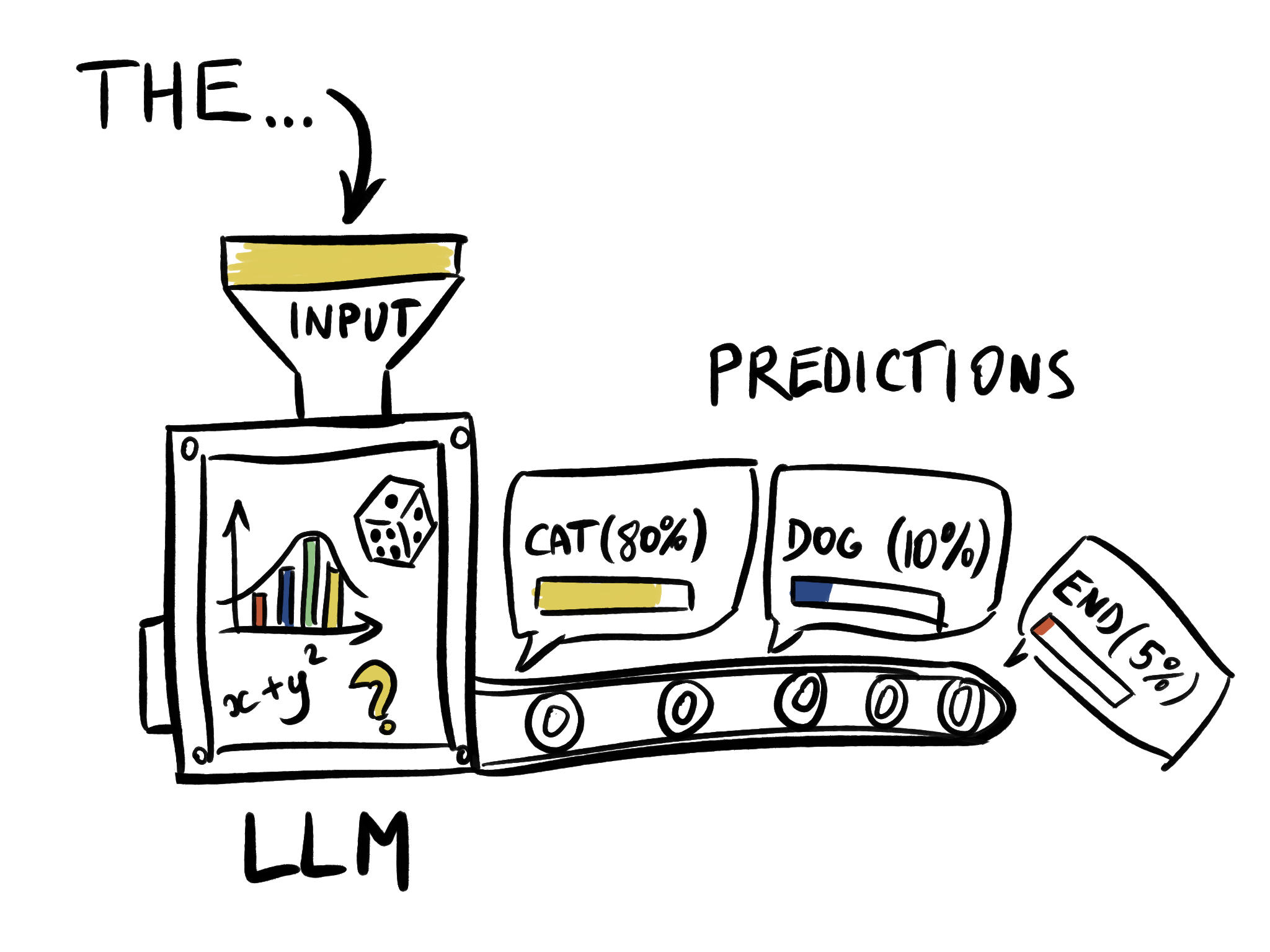
But is it actually a problem that LLMs are not real intelligent entities? – Not necessarily in my opinion.
💬
Super strong pattern matching capabilities can actually solve a lot of real world problems.
If we compare them to the documentation generation tools mentioned earlier relying on annotations needing to follow a really strict syntax, LLMs main advantage is the ability to analyze the input in a more flexible way so it can work on a multitude of input structures and don’t require as much human written metadata.
As engineers, we should continue to do what we do when a new “fancy” tool appears that may help to solve a problem: try it, evaluate it, weigh the pros and cons, and ultimately decide to use it or not.
And we should do so while acknowledging its limitations and always balancing the benefits/costs it may bring to the table.
📌
Treat LLMs and the ecosystem currently growing around them as a potential new tool in your arsenal, the same way we introduced linters, test frameworks, CI/CD pipeline, containerization etc…
Sure it’s probably the shiniest new tool we got in the past years but it is still just a tool that we have to learn to use.

How to collaborate with an AI agent
When trying to tackle a problem with the help of an AI agent, I continue to follow the same principles and framework of problem solving I have always used as if I am trying to solve the problem by myself or with another human colleague.

“All grand schemes need a plan”
First I wanted to confirm the current context of the problem, what we really wanted to do:
- Have documentation for all our event pipelines. In a format that is easy-to-read, is concise, and highlights the points the most important for the engineers.
- Updating the documentation over time so it is always up-to-date.
But I also wanted to check if any blocker would appear quickly in the process so I started to scribble on a notebook how our event pipelines were structured and read again the existing documentation we had written so far.
And this is when I realized that our project had a couple of interesting properties:
- It is written in Golang which is a statically and strongly typed language. Every manipulated object and message have a proper type and we know what’s inside each of them.
- What we wanted from our documentation was mainly technical info to give an overview of a pipeline. We weren’t interested in the details of the business rules implemented in each handler. As such we wouldn’t need the agent to ingest other references like the business specs.
- As an output, we wanted a standardized document with a common set of information for all pipelines, precise diagrams that explain the overview and some details much better than text.
⚠️ Disclaimer
As I am writing this post, new documentation dedicated solutions have emerged recently like Code Wiki from Google who claim can generate an entire wiki of documentation for the entire codebase of a project https://developers.googleblog.com/introducing-code-wiki-accelerating-your-code-understanding/
I haven’t tested it so I don’t know if it could also solve our problem. What I want to illustrate with the example of this blogpost is not necessarily the solution itself but the train of thoughts when using an AI agent in general.
Why is such preparation work important?
- Strong static typing gives a lot of information to the agent, the same way IDEs have much more powerful search and refactoring abilities than with dynamically typed languages. The results may not have been of the same quality with some other dynamic languages.
- LLMs have issues when their context window starts to fill so I wanted to limit as much as the source and documents the agent had to ingest even before being able to start working.
- It forces us to split potential big problems into multiple sub-problems, which can help to control the size of the context window.
So I came up with a plan:
- I would first spend some time generating the documentation for ONE specific event pipeline. Start from a draft, improve it. And when the quality is good enough, we would create a first template that would define the documentation structure.
- I would then try to generate documentation for some additional pipelines that have slightly different structures so the agent can become aware of the possible differences and adapt the template and the generation process to be more generic.
- I would then introduce automation as part of our CI pipeline to automatically update the documents as code changes.
📌
Using AI doesn’t eliminate the need to prepare what you want and why you want it. It should also not make you forget about fundamentals problem solving techniques/frameworks you may have used before.
"Well begun is half done”
The way you prompt AI agents can greatly impact the quality of the results you will get. If you try to ask the agent to solve a big problem entirely by itself in one go, it has a lot of chances to spit out an underwhelming solution that you will have to patch and fix due to too many assumptions, because it’s gone the wrong direction or because it is having hallucinations etc…
Here are some of the properties of the prompt I inputted with some simplified versions of parts of the prompts I used for illustrative purposes.
Give the proper context and explain the goals properly
“We have a system whose source code is in [location], we are trying to generate documentation for some part of it. This system is made of multiple messaging event pipelines and we are particularly interested in generating documentation for this [specific pipeline]. The source code files for this pipeline are notably specified [here, here and here]. Try to analyze this pipeline and show me a report of your interpretation. We will then build the documentation for it”.
If you have worked on projects with fuzzy or unclear specs/requirements from the beginning, you already know the pain of having non-well defined things to implement and solve. So it is important to define this part with a lot of accuracy.
Ask for an interactive discussion
“I would like this to be an interactive session. I want us to plan together, take time to prepare a draft and then progressively improve. You can create temporary documents if needed that I can review and give feedback on.”
This is important because instead of entirely delegating the task to the agent and only inspecting the final result, I wanted to build incrementally collaboratively.
In some way it is a bit similar to choosing an Agile methodology VS Waterfall.
When in doubt, ask
“Don’t hesitate to ask questions if some points are unclear. I prefer this over you making too many assumptions.”
Like in real life, I usually find it easier to work with people who ask questions when things are unclear rather than making false assumptions.
Analysis of the first outputs
The agent first analyzed the different files from the source code. It started from a couple of files I explicitly gave and it could use the typed input and output to find relevant information elsewhere in the code.
It then created several files with different purposes:
event_pipeline_template.md
This file served as a template for a typical documentation page of an event pipeline.
At the beginning it only created a list of “Sections” that would likely be included (here is a snippet):
- Quick reference
- Architecture Overview (Pipeline stages, Event Flow diagram)
- Dependencies (Upstream and Downstream)
- Data flow
- Event entities (External inputs, Internal, Outputs)
- Errors returned
- Log Pattern
- Test scenarios
This template would be modified and improved as the discussion progressed. The goal is to reuse this template for all subsequent requests to generate event pipeline documentation.
structure_proposal.md
This file was used as an explanation about all the choices the agent made to generate the pipeline template and each section. It also included sections it considered but decided to not include for now and the reasons why.
review_document.md
This file was basically a feedback form. It contained a huge questionnaire about the choices mentioned instructure_proposal.md with feedback input fields for each of them that I could fill.
I was quite impressed with these output files, the suggested template and the explanations all deserved proper reflection and didn’t seem weird.
📌
Sometimes the direction you take from the beginning can have huge impacts on where you will end. That’s why having a plan and having well thought first quality prompts can be important.
Are all paths really leading to Rome?
The agent also gave me the choice of 2 ways of continuing the process:
- A short path: I would let the AI build directly a document generated from the template and the code of the event pipeline.
- A longer path: I would go through the questionnaire of
review_document.mdto review the more structural aspects of the template first. Give feedback and continue to refine some aspects with the agent before generating the documentation.
I really appreciated the choice offered to me as they both have pros and cons.
With the short path, you can immediately perceive the good and bad points of the template with real data. You can realize that a section you thought would be useful is actually not that important. But you can also miss potential sections that are not included and would be beneficial. You can get tunnel vision and inadvertently rely only on what the AI outputs.
If you go the long path, you have to review a more extensive number of propositions and have to make as many decisions making the process more time consuming upfront but hopefully you can end up with a higher quality result.
I decided to follow the long path as I must admit I was curious about the other “ideas” the agent had and wanted to understand why it chose some sections over others.
The importance of the feedback loop
That’s when it became really interesting. As I filled the questionnaire, I started to have other ideas on how to combine sections and use diagrams for efficient information communication. It was similar to a brainstorming session. Some ideas generated by the machine helped the creation of other ideas by me, the engineer.
This phase of going through the questionnaire, writing feedback and having new ideas and developing them took a session of focused time that wasn’t short at all. But I feel this was productive and constructive time spent.
After ingesting my answers, the agent came back at me and we had a feedback loop that went on both sides for a couple of iterations. The agent didn’t hesitate to give previews of some of the results by using the pipeline it analyzed as illustrated examples

We then reached the point where the first draft of the documentation was created and I think it turned out really well for a first draft. After a couple of adjustments the document was already on a quality level higher than the previously handcrafted documents we had.
As an experiment I duplicated the context and rewinded to the point I tried the short path. Of course I will never know for sure but I feel the final document using this approach would have lacked some of the nice things I “brainstormed” by filling this questionnaire, because I was exposed to fewer propositions/suggestions and the “reasoning”. The documentation the agent generated through the short path was not bad but I could see a lot of differences with the first one I got with the longer path.
📌
Whether it is with an AI agent or not. Spending a bit more constructive time has an impact on the quality when trying to solve a problem.
Keeping human reviews
Once I got my first draft I was happy with, I created a PR and asked review from my colleagues,
In our team we review not only code but also documentation. I would say that the current trend at Mercari is to even be more strict during reviews for Agent generated code.
But maybe some of you may wonder:
- Wouldn’t mandatory reviews for documentation be a bottleneck in the process? Wouldn’t it be possible to have another AI reviewing the updates?
- And wouldn’t forcing human reviews increase the likelihood of the documentation never being updated nor merged?
I think those are valid concerns but I also think it depends on how the team/organization values documentation.
I am still convinced that the part of the documentation process that causes the most friction is the writing and the necessity to update it as code changes. And AI can help with that.
But if you are in a situation where even developers don’t want to review documentation updates, maybe it is a sign that this particular documentation may not be needed in the first place.
I think it is also possible for teams to decide to automate everything from end to end without reviews (not all teams review changes even written by human engineers after all) but it has to be a conscious choice made by the entire team as it may be more sensitive to mistakes and inaccuracies produced by the agent.
That’s also why, in a way, we are okay with starting to work on generating specific parts of the documentation the team feels are useful and not necessarily trying to generate the whole documentation of the project.
📌
Ultimately, we must not forget that our goal here was to create documentation targeted at the engineers who work on our system. We don’t want to generate documentation just for the sake of generating it.
Some extra takeaways
- I asked the AI agent to create a prompt template in order to generate the documentation for other pipelines.
- LLMs are usually not deterministic and even with the same prompt, the output will be slightly different each time.
- Still you ideally want to use the combination of a standardized prompt and a standardized documentation template to increase the stability of the output.
- A good reusable prompt also packs enough context information so the agent has everything it needs to do the task as efficiently as possible because LLMs do not have intrinsic memory.
- I integrated an AI agent step in our CI pipeline with a custom prompt that would look for changes in event pipelines source code files and update the documentation if needed by using the exact same prompt template and documentation template obtained previously to generate/update the documentation and it would then create a separate PR with the documentation changes.
- I had to be cost conscious! Something that is not well communicated with all the AI hype is the cost of AI agents execution which is not free. In our case, the agent triggered to check and update documentation was costing us a whooping 0.5 USD per execution. I quickly had to change the execution policy to inspect only merges on certain target branches instead of checking all commits pushed otherwise it would have cost our team several hundred/thousands USD per month. For all AI activities, calculate the cost relative to the benefits, like any other tool.
- We generated the rest of the documentation over weeks instead of generating the documentation for all the pipelines in one go to allow engineers to review without being overwhelmed by the sheer quantity of documents.
And to wrap-up
Was it a revolutionary project? No, but all projects (being AI assisted or not) don’t necessarily have to be. We had a particular documentation problem and in that case AI helped us fix it.
So what did we learn from all of this?
- Documentation is something that highly depends on each team’s practices but it seems that still a lot of them recognize the benefit of documenting at least certain parts of their systems.
- Writing documentation seems to be the most painful part of the process.
- You don’t need to document everything, focus on the parts that would benefit the most.
- Don’t hesitate to ask every time an engineer onboards to your team/system if they think some additional documentation could have helped and which part.
- AI can help with documentation in general but technical documentation close to the code especially seems to offer good potential.
- Continue to follow some of the same principles as with other human engineers:
- Have a plan (even if simple in the beginning).
- Clearly define the WHAT and WHY. It’s probably not a real problem that deserves attention if you cannot define those.
- Split big problems into smaller more manageable sub-problems.
- Introduce a feedback loop when possible, AI agents still give higher quality results if you support them properly. This can also help you to find new ideas.
- Keep some degree of human review depending on the situation and the criticality of the task, especially for output targeted at humans.
AI can be fantastic sometimes but just because we can now automate and create a lot of content easily with AI agents doesn’t mean that we necessarily have to. Continue to be pragmatic, treat AI as a tool and as any tool, learn how and where to use it. This approach will give you the best results.
Tomorrow’s article will be by @Sakabe. Please look forward to it!